
Track your deadlines
One click on a tender and SangoBids keeps its deadline: the list from most urgent to latest, with reminders.
A missed deadline is a tender lost before it starts. Track a tender: SangoBids keeps the date, reminds you in time and gathers everything on one page.
Track a tender
There are two buttons, depending on where you are.
In the list, tap Track
The tender joins your deadlines, without leaving the list.
On the tender page, tap Prepare my file
The tender is tracked, and its file opens with the documents to gather.
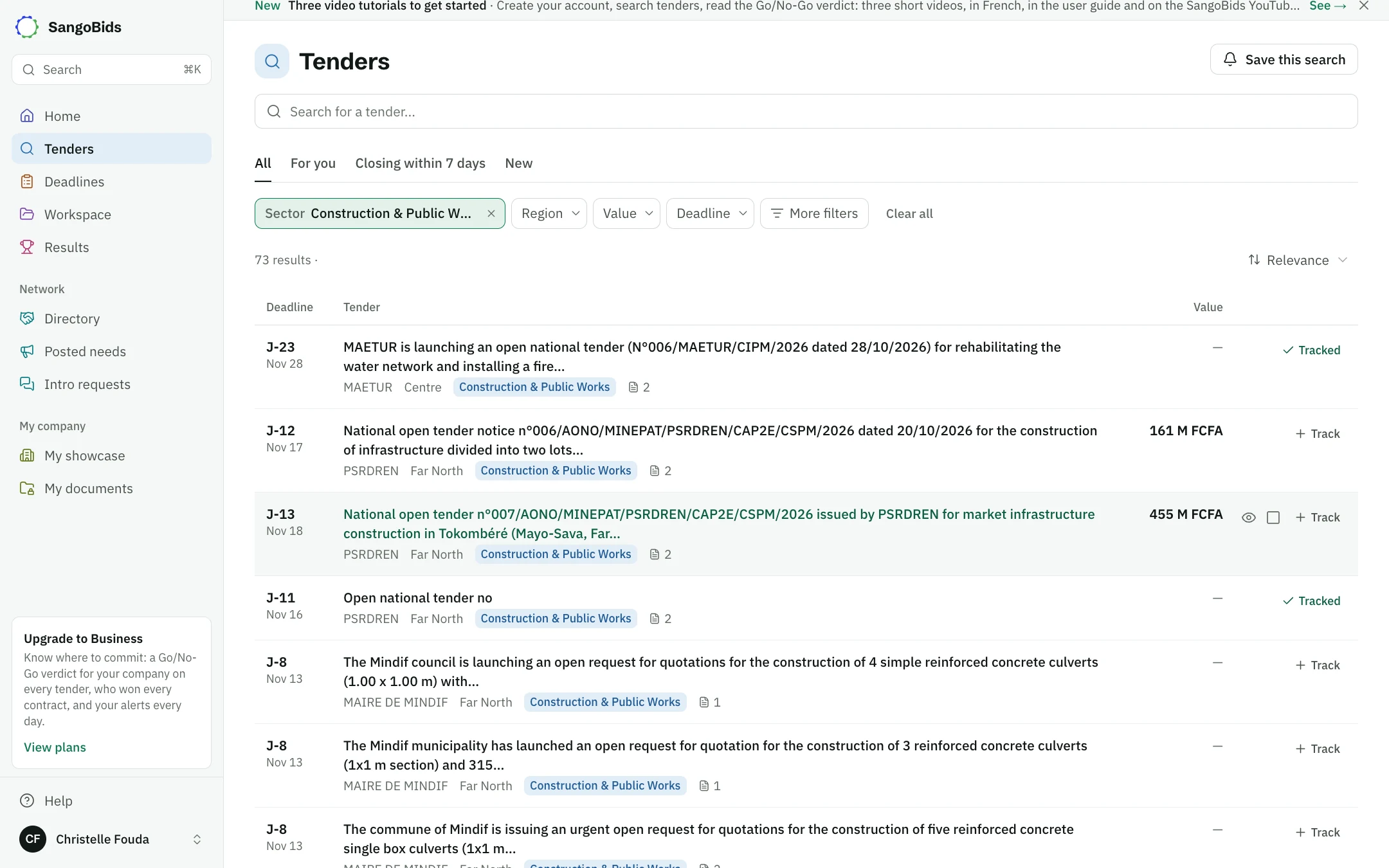
Computer
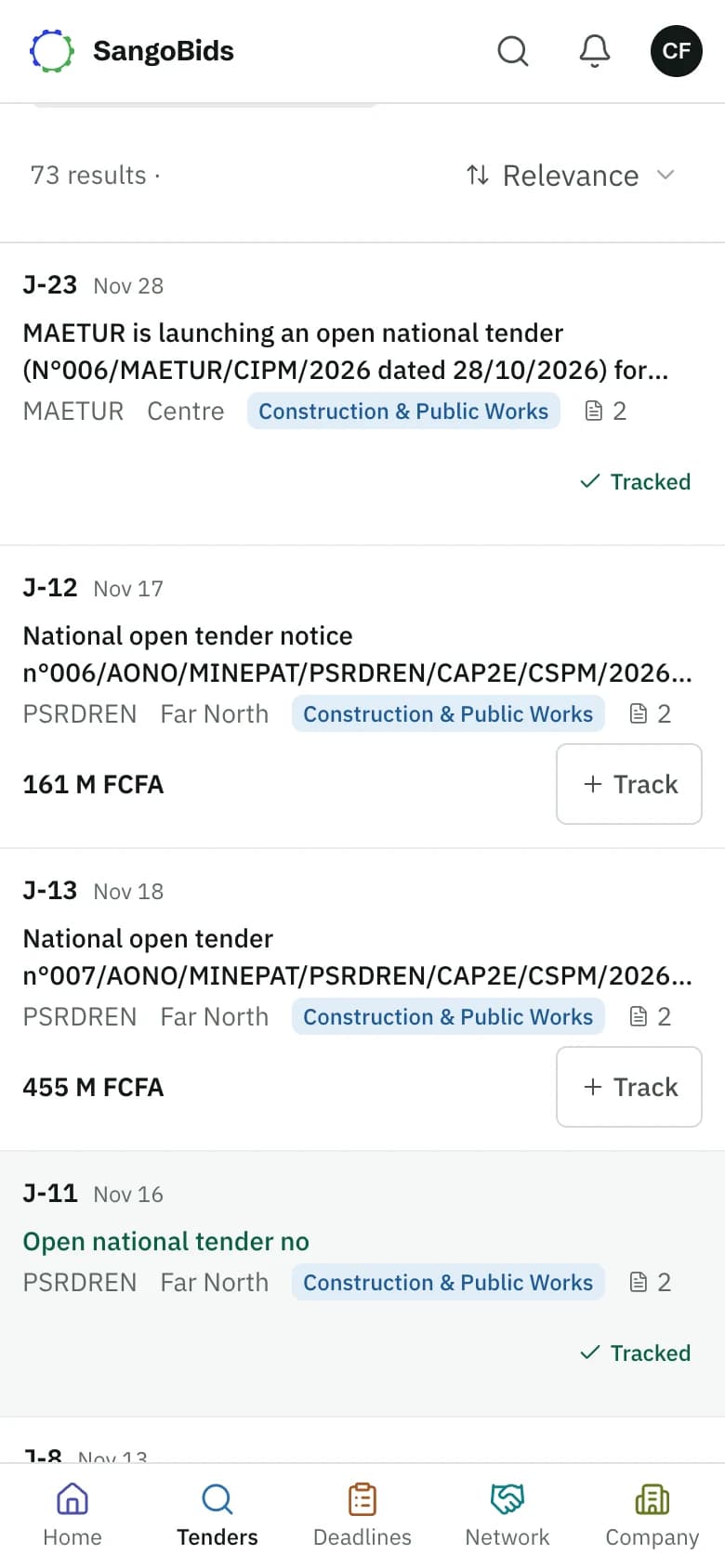
Phone
On the Free plan, tracking a tender also shows its verdict, without using your free view of the month.
Read your deadlines
Open Deadlines in the menu.
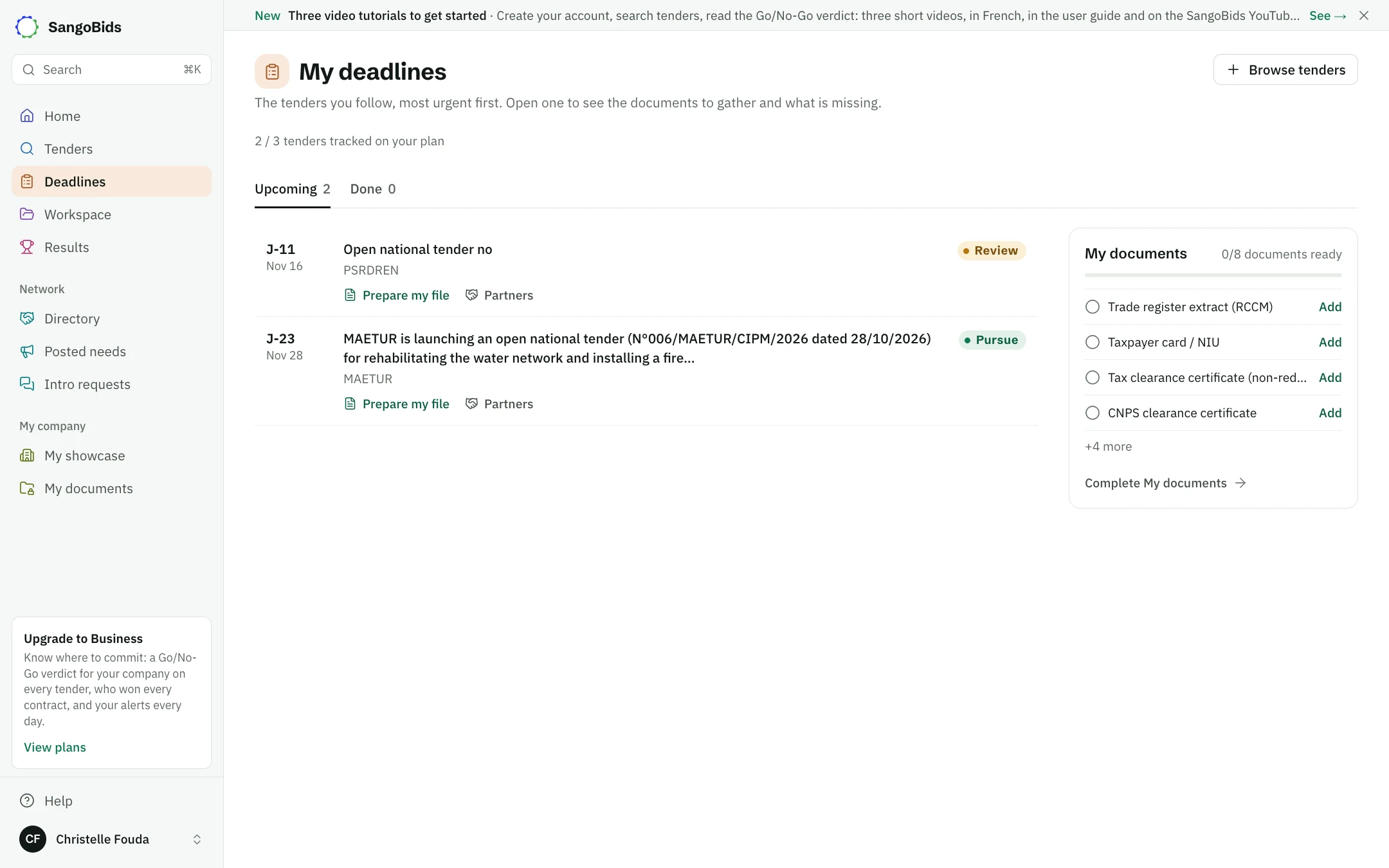
Computer
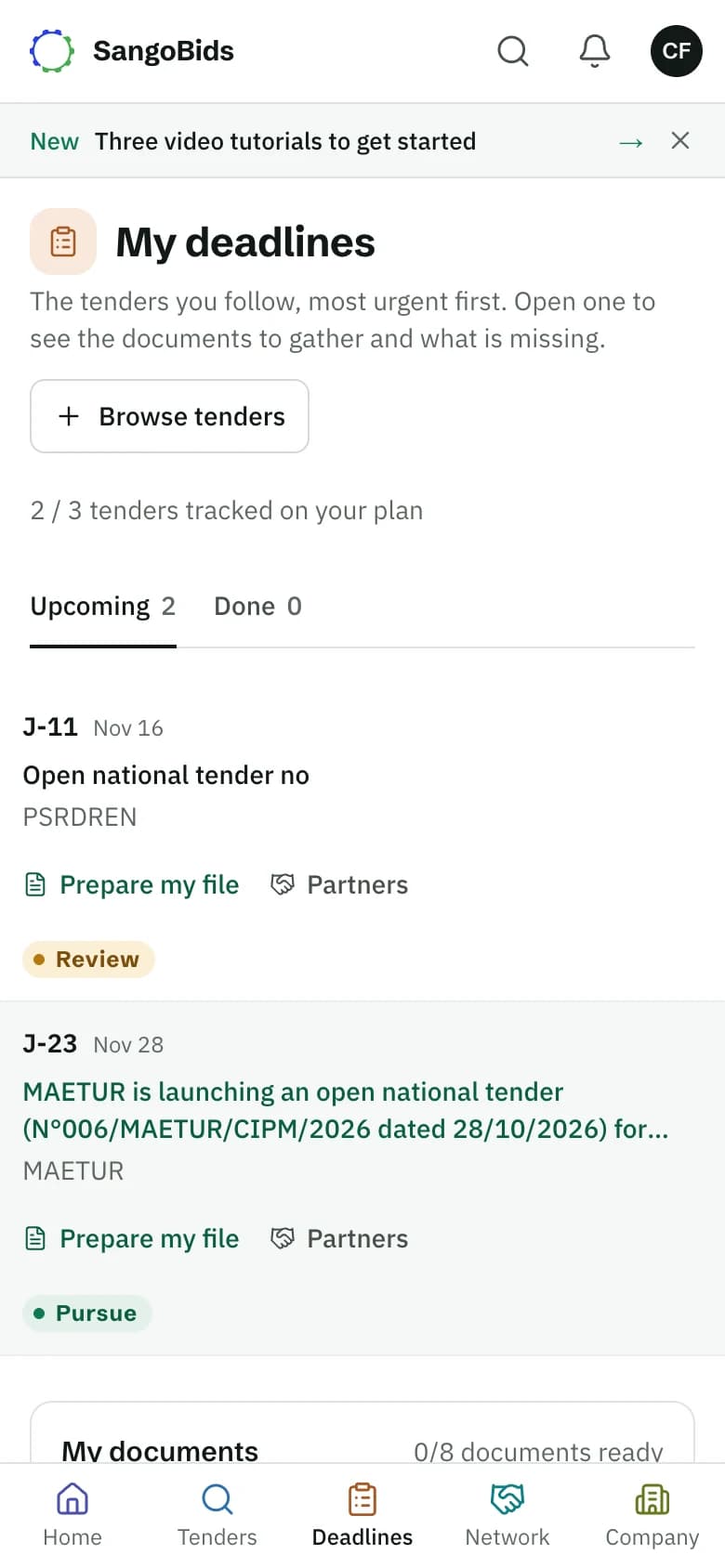
Phone
- Upcoming ranks your tenders from most urgent to latest.
- Done keeps those whose date has passed, with the winner's name when it is known and your plan shows it.
- "J-5" means five days are left.
- Tap a tender to open its file.
- The bin, Remove from my tenders, frees a place.
The reminders
You get a reminder 3 days before the deadline, then the day before. It arrives in the morning, grouped in one message with your other reminders of the day, through the channels you chose. Once the bid is marked as submitted, the reminders stop.
To turn them off or change channel: Alerts and notifications, the deadline reminders row.
What tracking does not do
SangoBids does not submit your bid: you hand it to the buyer yourself. A date can also change through an amendment. The alert on tender changes tells you when SangoBids learns of it, but the official notice prevails.
What next
Prepare your submission file explains what you will find in the file. Alerts and saved searches brings the next tenders to you.
Read next
- Prepare your submission fileFor every tracked tender: the document list read from the tender file, compared with your documents, the letters, the proposal, the reminder that says what is missing, and submission.
- Read a tender pageWhere to find what matters in a notice: buyer, deadline, documents, amendments and, above all, how to respond.
Ready to try?
The account is free and public tenders stay free. Three minutes is enough to receive the first ones.
Get started free